
How do I use the Pop Phone?Updated 7 months ago
It’s simple: plug the handset into your device’s USB-C port. That’s it — you’re ready to take or make a call, join a video meeting, or just enjoy a more human way to connect.
For Android Users
Plug and Play: Simply plug the Pop Phone into your device's charging port. No additional setup is required.
For iOS (iPhone) Users
Plug in the Device: Connect the Pop Phone to your iPhone.
Select Device Type: A prompt will appear asking if you are using "Headphones" or "Other Device."
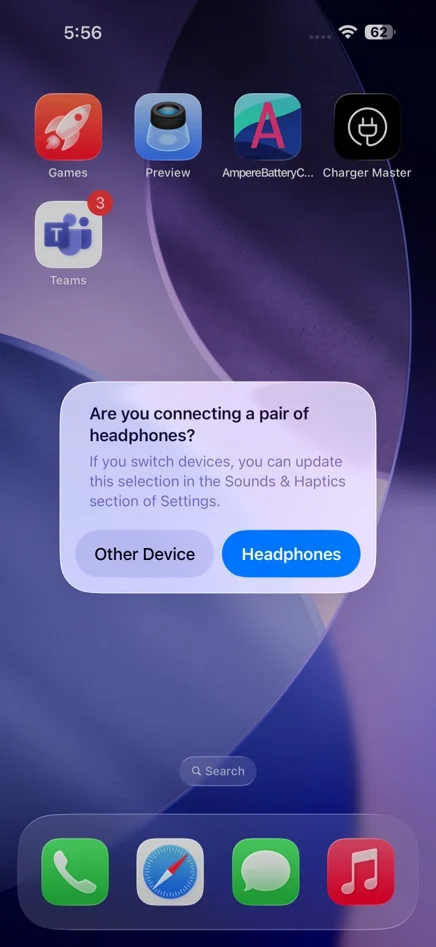
Choose "Headphones": You must select "Headphones" for the Pop Phone to function correctly.
⚠️ Made a mistake?If you accidentally selected "Other Device," don't worry! You can fix it by following this reset tutorial.